Oracle Integration Cloud(OIC) Private User
OIC Dedicated Private User(ATP, FTP also private user) without data sharing with OCI access included
Oracle instance access rented by the month for practice, training or client demos. Delivered instantly: your login details are on your dashboard as soon as payment is confirmed.
Pricing
One-time payment per period. Auto-renew is optional: turn it on from your dashboard once the access is running. Pick a term above to continue.
What is included
- Private User
- VBCS Included
- ATP Included
- FTP Included
- Object Storage Included
See inside the instance
Screens from our own instances. The data in them changes as it is used and refreshed. Click a screen to see it full size.
Oracle Integration Cloud
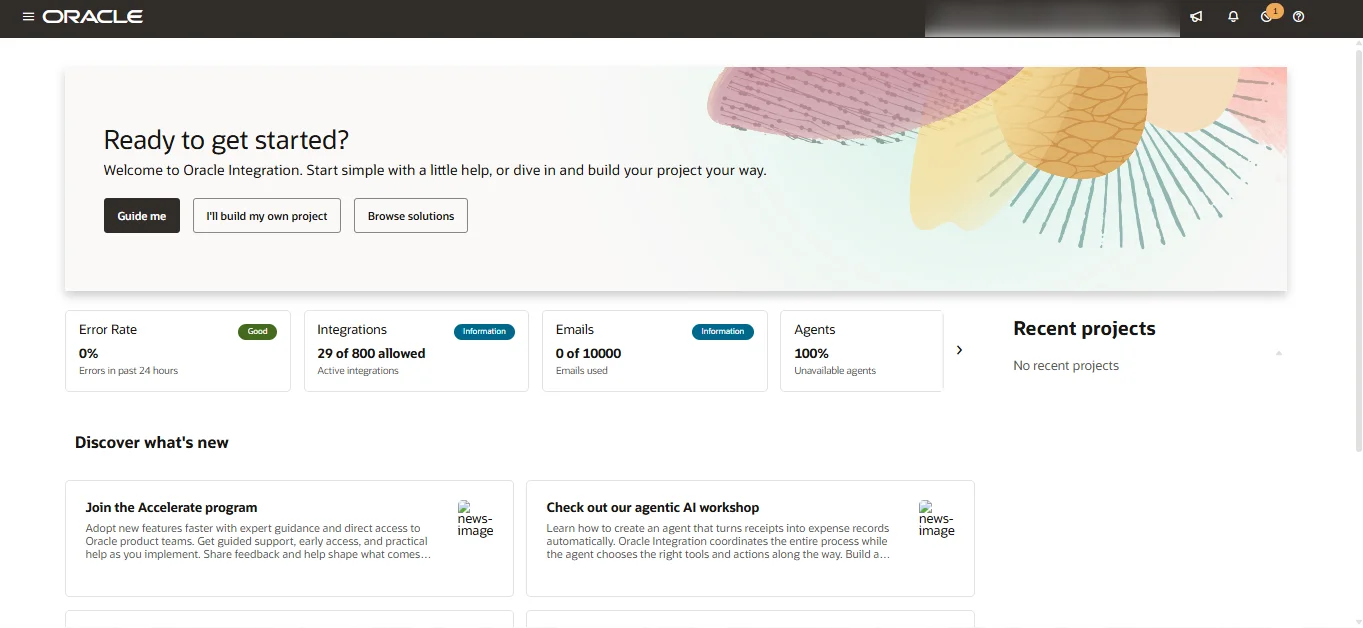
Home page
Integration health at a glance: error rate, active integrations and recent projects.
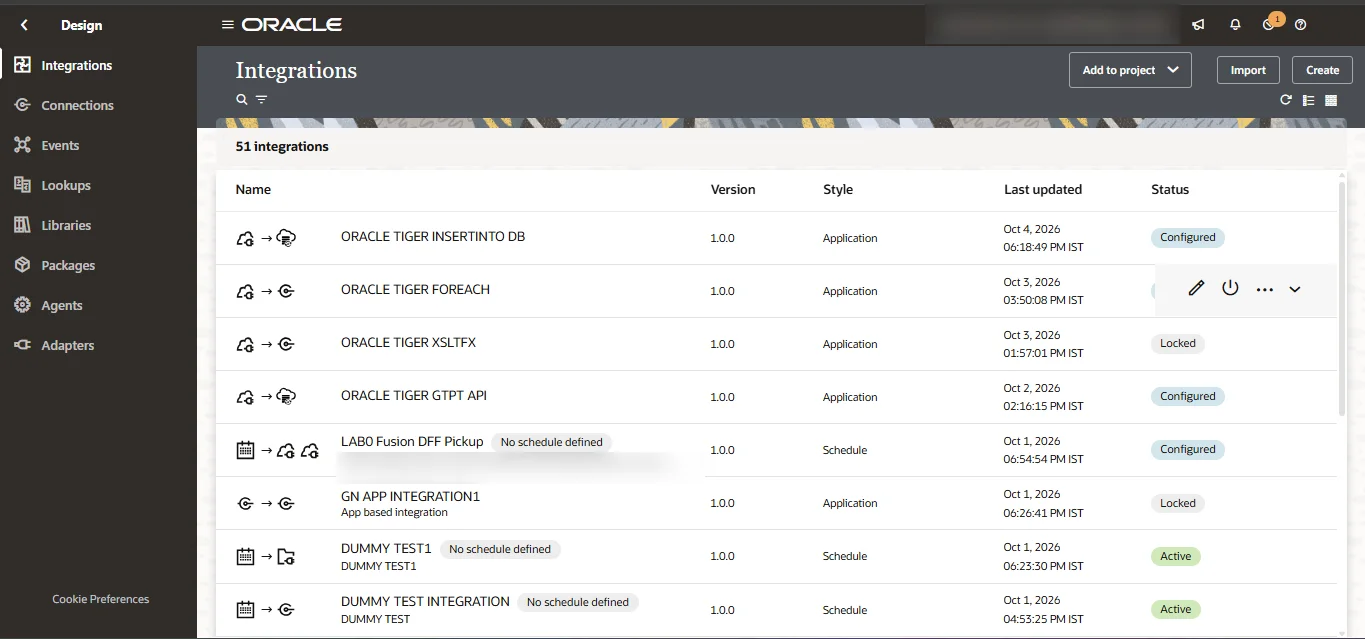
Integrations
App-driven and scheduled integrations, with their versions and status.
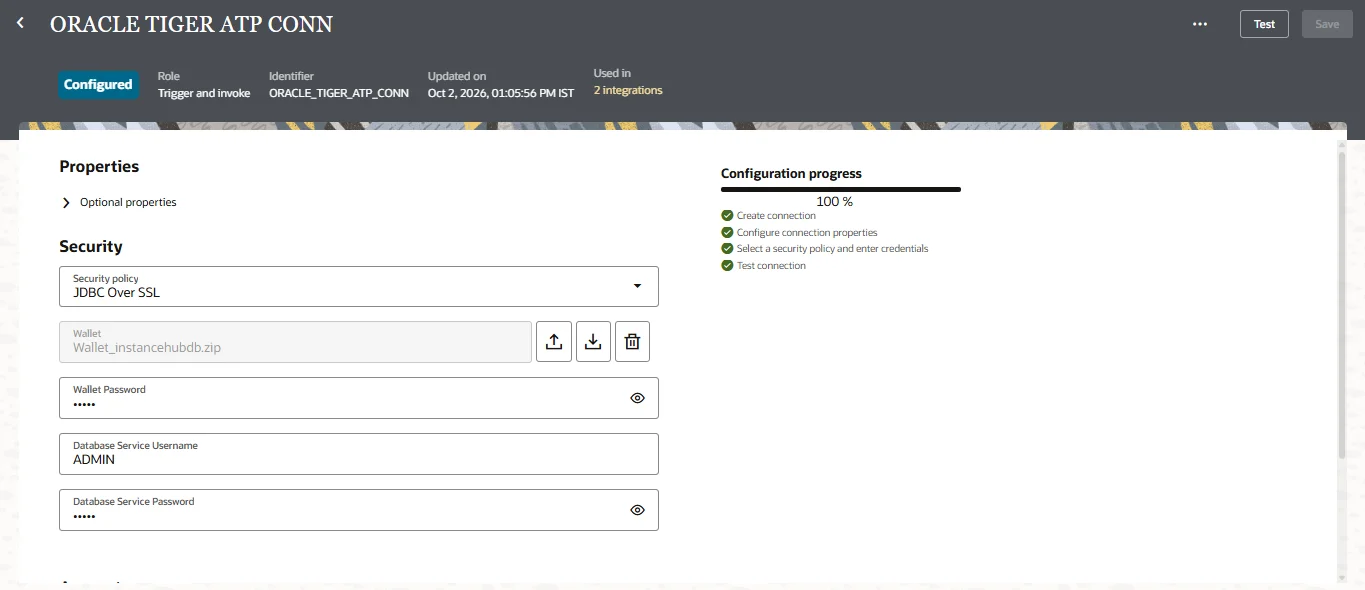
Connections
A configured database connection over JDBC with SSL, tested and in use.
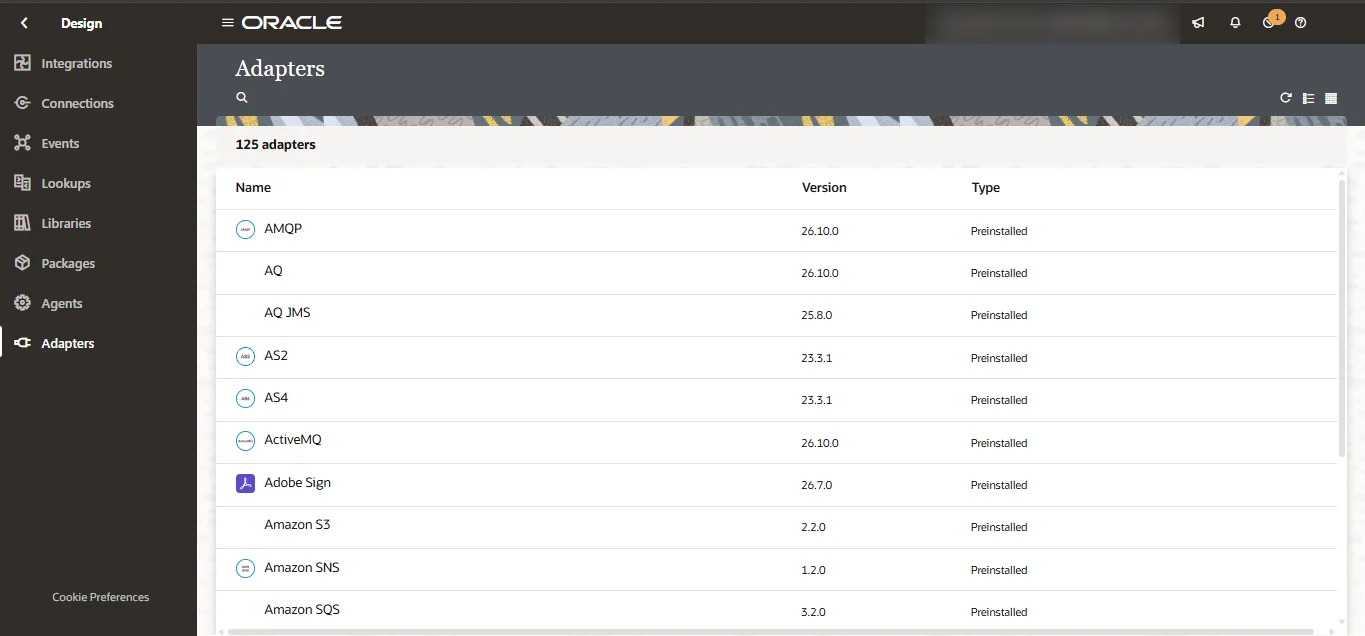
Adapters
125 preinstalled adapters, from AMQP and AS2 to Adobe Sign and Amazon S3.
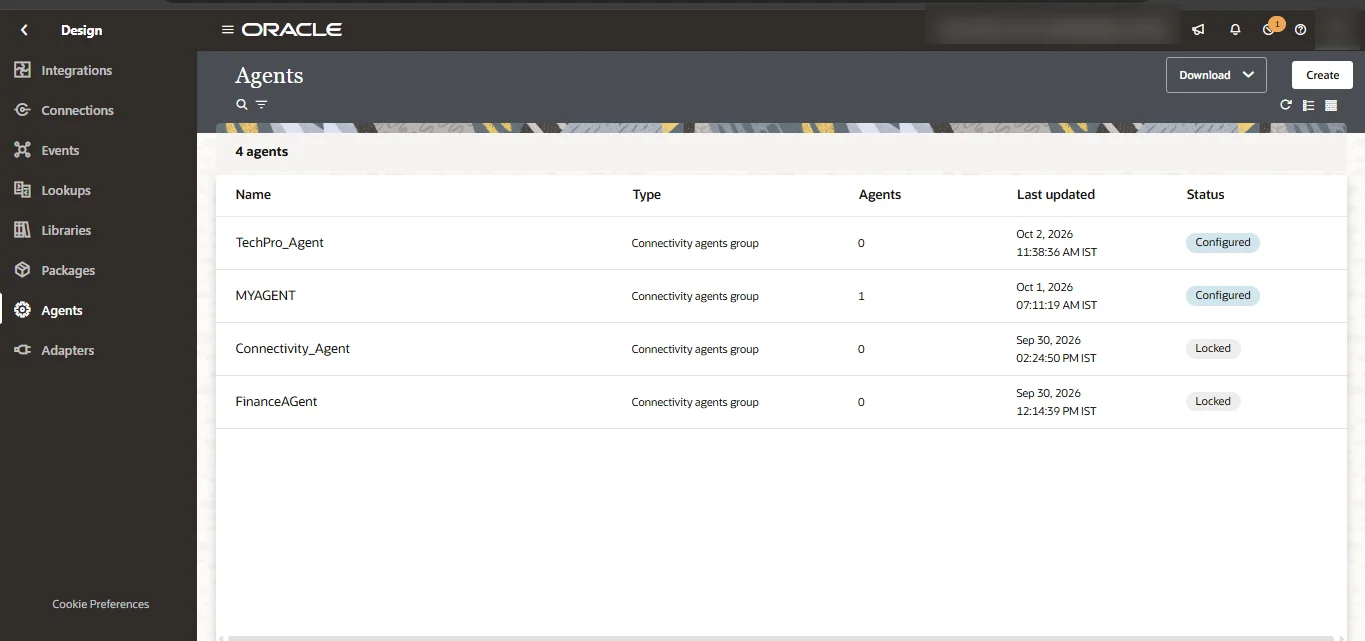
Connectivity agents
Agent groups for reaching systems behind a firewall.
ATP database and file server (SFTP)
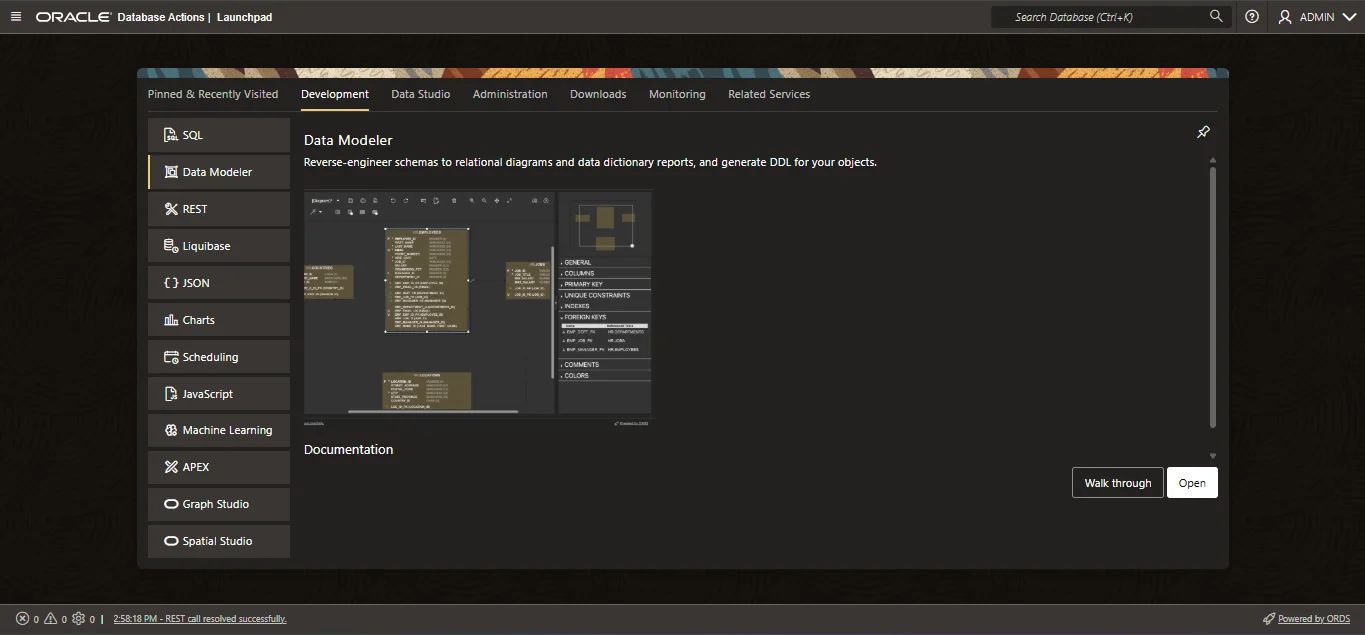
ATP database
Database Actions on the ATP database: SQL, Data Modeler, REST, APEX and more.
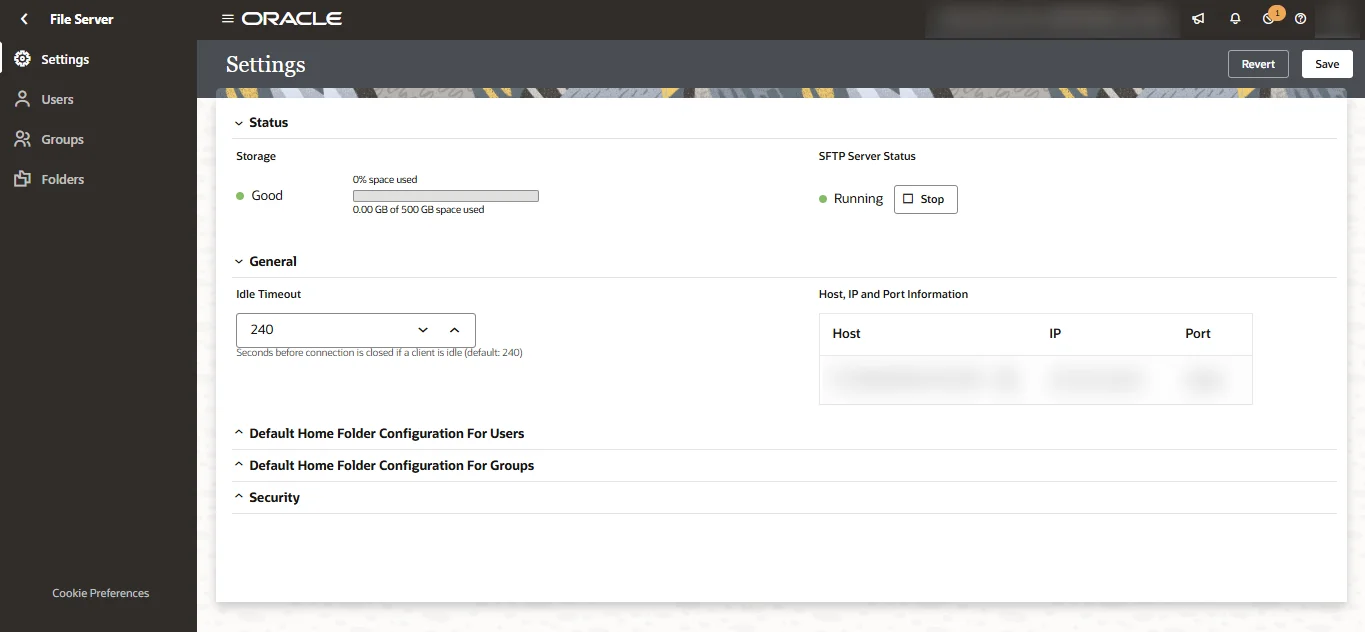
File server (SFTP)
The SFTP server, running, with its storage, users, groups and folders.
How you get access
- 1Choose your billing period and pay by UPI, card or netbanking.
- 2Your access starts the moment the payment is confirmed - no waiting for approval.
- 3Your login details are on your dashboard straight away, and we email you to say it is ready.
Not sure this is the right one? Refresh or non-refresh - which one you need, or read all the guides.